
Download MathMagic Pro – Powerful Equation Editor for Quark
Overview: Why MathMagic Pro Is the Missing Link Between Quark and Complex Mathematics
If you work with QuarkXPress and regularly need to insert sophisticated mathematical, physical, or engineering formulas, you’ve probably felt the frustration of a tool that’s either too generic or completely absent. MathMagic Pro fills that gap with a purpose‑built WYSIWYG plug‑in that lives inside the Quark environment you already love. Unlike generic equation editors that force you to switch windows or export graphics, MathMagic Pro lets you create, edit, and format equations directly in Quark’s layout panels.
The plug‑in treats each equation as a live, editable object—displayed as a text field that looks like a graphic—so you can double‑click to open a full‑featured editor without ever leaving the page. This seamless integration saves time, eliminates the need for external image files, and ensures that every symbol, fraction, or integral remains crisp at any resolution. Recent updates have also added support for the .mms StyleSet extension, improved EPS export for custom fonts, and enhanced MathML and LaTeX import handling, making MathMagic Pro a future‑proof solution for academic publishers, technical writers, and anyone who must present complex calculations with professional polish.
Whether you’re drafting a university textbook, a scientific journal, or a detailed engineering manual, MathMagic Pro gives you the confidence that every formula will be rendered accurately and look consistent across print and digital outputs. The tool’s intuitive palette, template‑driven workflow, and extensive symbol library—covering mathematics, physics, electronics, and accounting—mean you spend less time hunting symbols and more time focusing on content quality.
Key Features That Make MathMagic Pro Stand Out
- Native Quark Integration: Works as a true plug‑in, keeping the Quark interface intact while providing a dedicated equation editor.
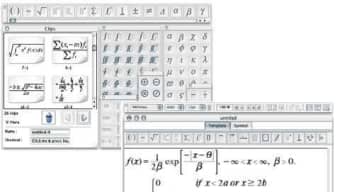
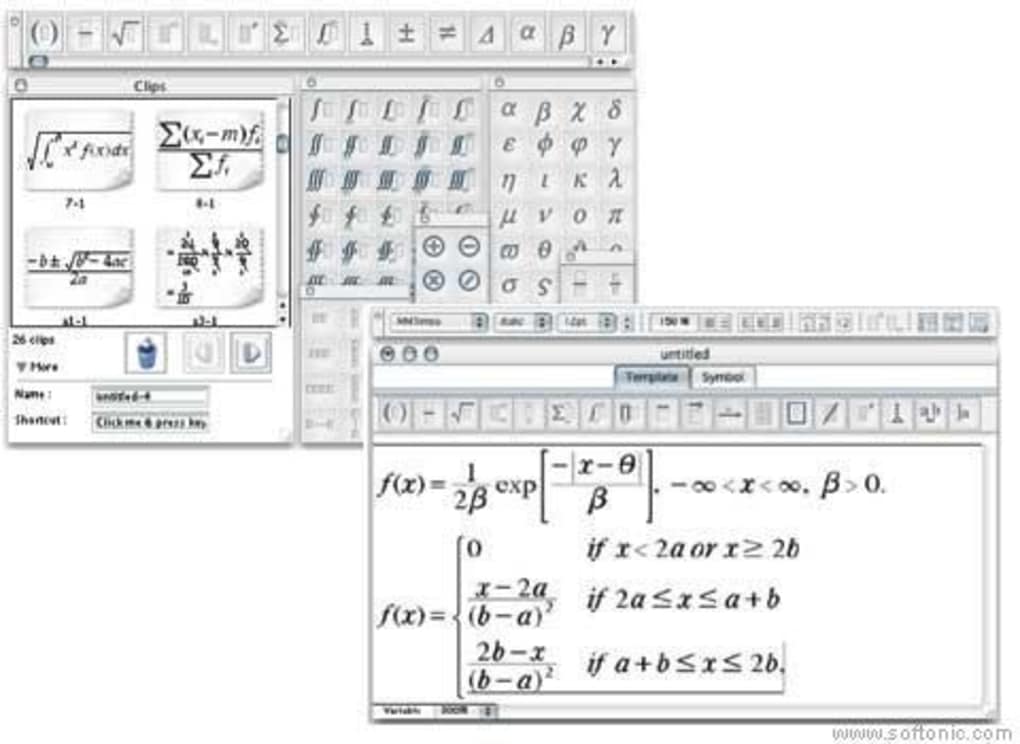
- WYSIWYG Editing: Real‑time visual feedback; double‑click any equation to open an editor that mirrors the final layout.
- Template Library: Hundreds of pre‑built templates for common structures such as fractions, integrals, matrices, and piecewise functions.
- Extensive Symbol Palette: Over 1,200 symbols covering algebra, calculus, statistics, physics, electronics, and accounting.
- MathML & LaTeX Compatibility: Import and export MathML and LaTeX, with automatic conversion to Quark‑ready objects.
- .mms StyleSet Support: Recognizes the .mms extension for seamless style sharing across Windows‑based StyleSet files.
- High‑Resolution EPS Export: Guarantees that custom fonts and 8‑bit symbols are saved correctly for print‑ready output.
- Smart Clipboard Handling: Paste Math Speech, ASCIIMath, or plain text and let MathMagic Pro detect the format automatically.
- Calculation Palette: Quick‑access tools for evaluating expressions, simplifying fractions, and checking dimensional consistency.
- Regular Free Updates: Security patches, bug fixes, and new symbol packs are delivered automatically via the Quark update manager.
Installation, Usage, and Compatibility: Getting Started in Minutes
Installing MathMagic Pro is intentionally straightforward to keep the focus on creating equations rather than troubleshooting software. First, ensure you have QuarkXPress version 2019 or later; the plug‑in leverages the modern SDK that ships with recent releases. Download the installer from the official MathMagic website, then run the .exe (Windows) or .dmg (macOS) file. The wizard detects your Quark installation path automatically, copies the necessary plug‑in files, and registers the component with Quark’s plugin manager. After a quick restart of Quark, you’ll see a new “MathMagic” panel on the right‑hand side of the workspace.
Using the tool is equally simple. Open any Quark document, click the MathMagic icon, and choose “Insert Equation.” The editor opens with a clean canvas and a toolbar that groups symbols by category. Drag a template onto the canvas, then fill placeholders with your variables.
Because the editor is WYSIWYG, every change—whether you add a superscript, adjust a fraction line, or change a font style—is reflected instantly in the document view. Double‑click an existing equation to re‑open the editor; changes are saved automatically, and the object updates in place. For power users, the “Import” button accepts MathML or LaTeX files, converting them into editable Quark objects while preserving formatting.
MathMagic Pro is compatible with both Windows 10/11 (64‑bit) and macOS 12 Monterey and later. The plug‑in runs natively on Intel and Apple Silicon Macs, thanks to a universal binary build. While the core functionality is focused on Quark, the generated equations can be exported as EPS, SVG, or PNG for use in other publishing tools if needed. System requirements are modest: a minimum of 2 GB RAM, 200 MB free disk space for the plug‑in, and a graphics‑accelerated display for optimal rendering of complex symbols.
Pros, Cons, and Frequently Asked Questions
Pros
- Deep integration with Quark eliminates the need for external image files.
- Intuitive WYSIWYG editor speeds up equation creation and reduces errors.
- Comprehensive symbol library covers virtually every scientific discipline.
- Robust import/export support for MathML, LaTeX, EPS, SVG, and PNG.
- Regular free updates keep the software secure and compatible with the latest Quark releases.
Cons
- Only works with QuarkXPress; no standalone version for other layout programs.
- Advanced users may miss a raw LaTeX editor for fine‑tuned control.
- Initial learning curve for users unfamiliar with template‑driven equation building.
- Free trial is limited to 30 days; perpetual license requires a one‑time purchase.
- Performance can dip on very large documents with thousands of equations.
Frequently Asked Questions
Do I need a QuarkXPress license to use MathMagic Pro?
Yes. MathMagic Pro is a plug‑in that requires an active QuarkXPress installation (2019 or newer). It does not work as a standalone application.
Can I export equations to other design tools?
Absolutely. MathMagic Pro lets you export any equation as EPS, SVG, or high‑resolution PNG, making it easy to import into Adobe InDesign, Illustrator, or other publishing platforms.
Is there a free version or trial?
A 30‑day free trial is available from the official website. After the trial, you can purchase a perpetual license with a one‑time payment.
How does MathMagic Pro handle custom fonts?
Custom fonts are fully supported. The recent update fixed an issue where 8‑bit symbols were not saved correctly in EPS when a user‑defined font was used, ensuring accurate rendering.
Can I import LaTeX or MathML files directly?
Yes. MathMagic Pro recognizes both LaTeX and MathML blocks, converting them into editable Quark objects while preserving structure and formatting.
Conclusion: Streamline Your Quark Workflow with MathMagic Pro
For anyone who writes technical documentation, textbooks, or research papers in QuarkXPress, MathMagic Pro is more than a convenience—it’s a productivity catalyst. By embedding a full‑featured equation editor directly into the Quark workspace, the plug‑in eliminates the cumbersome workflow of external graphics, reduces file bloat, and guarantees that every symbol remains sharp in both print and digital formats. The combination of template‑driven creation, an expansive symbol library, and robust import/export capabilities means you can tackle any mathematical challenge without leaving Quark. While it does require a Quark license and may have a short learning curve for newcomers, the long‑term time savings and professional quality of the output far outweigh those minor drawbacks. If you’re ready to upgrade your publishing process, download MathMagic Pro today, take advantage of the free 30‑day trial, and experience how a seamless equation workflow can transform your Quark projects.